Stonking Stingray Has Surfaced! Kubuntu 26.10 Is Out, Plus Podcast Episode 25
Stonking Stingray is out. Here’s the stack, how to upgrade, a Virtual Desktops tip and a Discover pick.
Kubuntu 26.10, codenamed Stonking Stingray, is out today, Thursday 15 October 2026, released on the same day as the Ubuntu 26.10 base. It is an interim release, supported with security updates and critical fixes for nine months, until July 2027. If you need long-term support, Kubuntu 26.04 LTS remains supported until April 2029.
Watch Kubuntu Podcast #25, “Kubuntu 26.10: what’s actually on the ISO”: youtu.be/8NgkGnoRnDM
What’s on the ISO
- Plasma 6.7.5, with the Wayland session as the default
- Qt 6.11.2
- KDE Frameworks 6.29
- KDE Gear 26.08.1 (Dolphin, Konsole, Okular, Kdenlive and the rest)
- Firefox 157 (Snap) and LibreOffice 26.8.1
- Linux kernel 7.3 (7.3.0-9.9)
The Plasma X11 session is not installed by default and is not supported by the Kubuntu team. Kubuntu 26.10 is the last release where the plasma-session-x11 package will be available. If you still rely on X11, test Wayland on your hardware now and report what breaks.
For the full details, read the Kubuntu 26.10 release notes.
Why it matters
Plasma 6.7 brings per-screen virtual desktops, so each display can keep its own set. Discover has a clearer Install button and redesigned app cards. Switch between light and dark themes with a quick toggle, and try the new Union theming system as a tech preview.
Get it
Ready to grab the stingray? Get the Kubuntu 26.10 ISO from our downloads page (or straight from cdimage), write it to a USB stick and boot. Already running Kubuntu? You can upgrade in place instead, see below. To verify your download, check it against SHA256SUMS:
8160b1d6266dfe1998d183b19713680263c09669f101e0e41cbcf11f50b6f785 kubuntu-26.10-desktop-amd64.iso
Test before you point the installer at a disk you care about.
Upgrade from 26.04 LTS: in sudo software-properties-qt, set “Release Upgrade” to “Normal releases” (or set Prompt=normal in /etc/update-manager/release-upgrades), then run the release upgrader. Back up first.
Systems using TPM-backed full-disk encryption can’t upgrade from 26.04 LTS to 26.10 at release. Ubuntu expects to enable these upgrades during the 26.10 lifecycle.
Found a problem? File one bug per report, with exact steps, a Spectacle screenshot, and the version string from About this System.
Plasma tip: Virtual Desktops
Press Meta+Ctrl+Left or Right to hop between desktops. Or open Overview with Meta+W, then scroll or press Page Up / Page Down to change desktop without leaving Overview. With more than one monitor, Plasma 6.7’s per-screen virtual desktops let each display keep its own set.
Discover Hot Pick: Krita
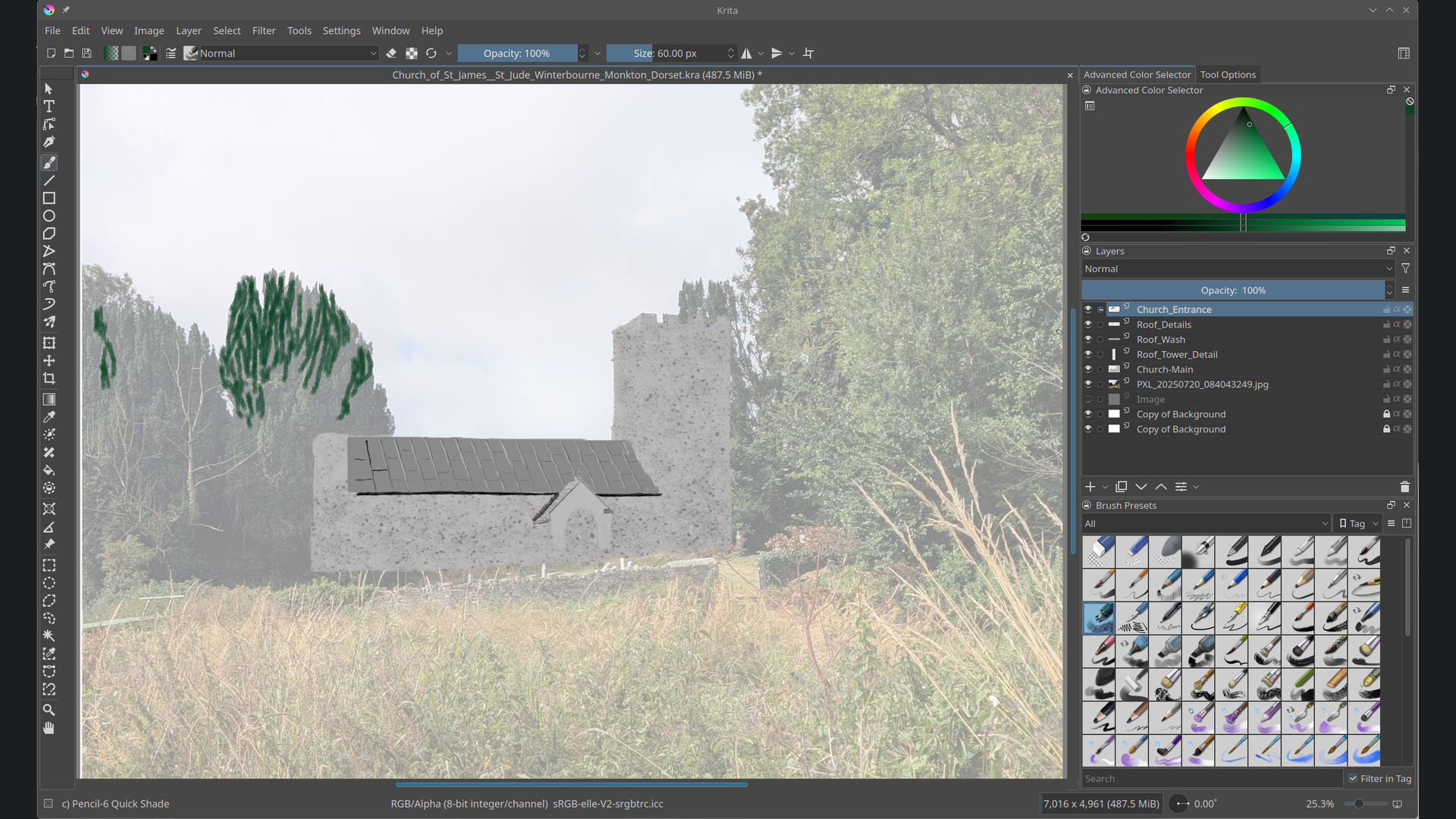
Krita is KDE’s free painting app: natural-feeling brushes, layers, and a canvas you can rotate like paper on a desk. It has around 500 reviews in Discover. Search “Krita” in Discover and install it. More at apps.kde.org/krita.
From the comments
Thanks to everyone who commented on the beta episode, especially @MrMoto655, who was “stonking my stingray to this rn”, and @AvereyIsHere and @melody-oj2gm for the “Stop” versus “Continue” thread. We’re with Continue.
Sources
Thank you to everyone who tested the beta and helped make Kubuntu 26.10. 🐾